
Browser HDL IDE
RTL Studio
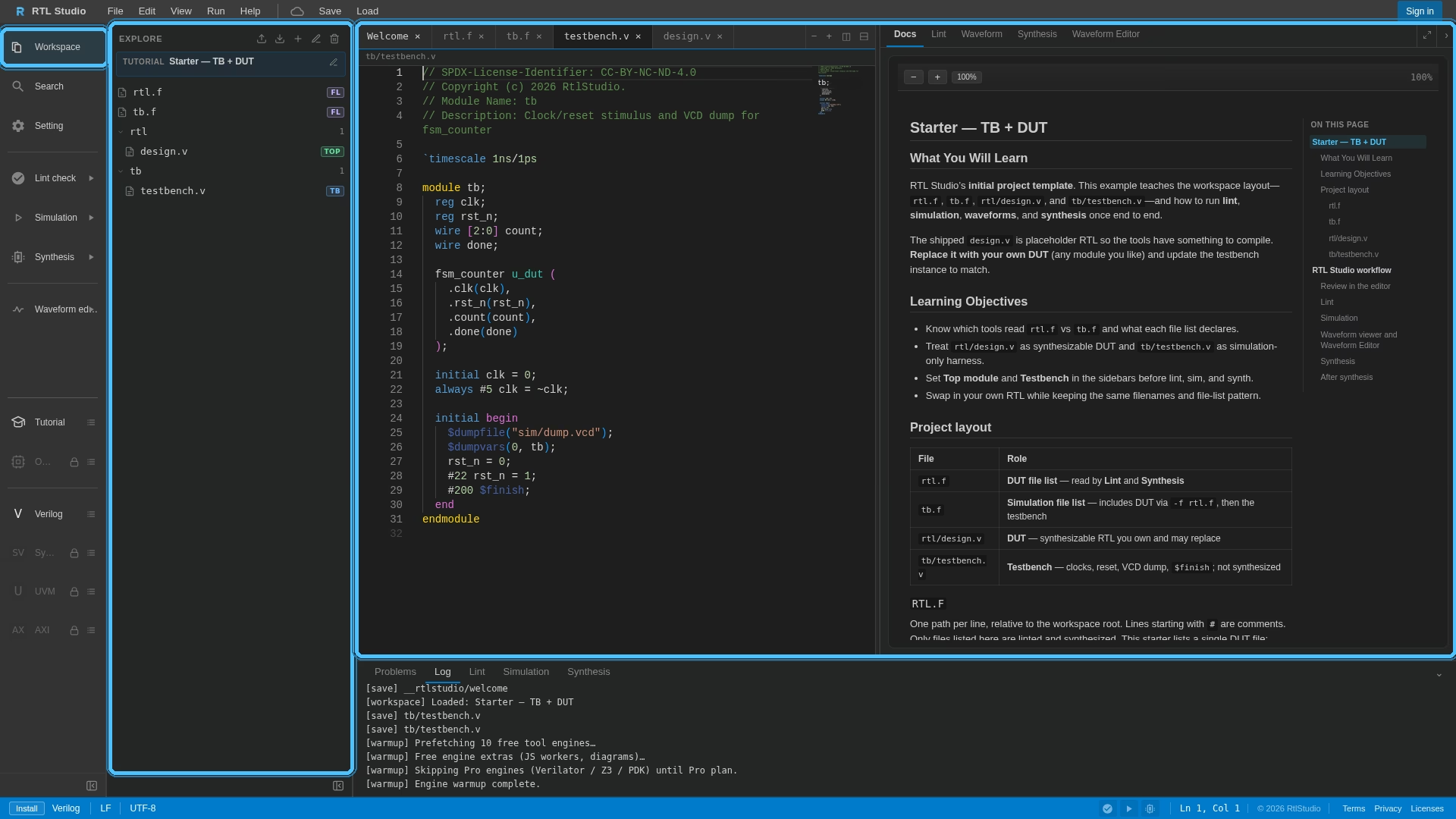
Edit, lint, simulate, and synthesize Verilog and SystemVerilog in your tab — WebAssembly toolchain, no desktop EDA install.
Slang · Verilator · Yosys · VCD waveforms · local-first WASM

How it works
One workspace for day-to-day HDL: from a first Verilog testbench to SystemVerilog lint, simulation, and synthesis — without standing up a local toolchain.
-
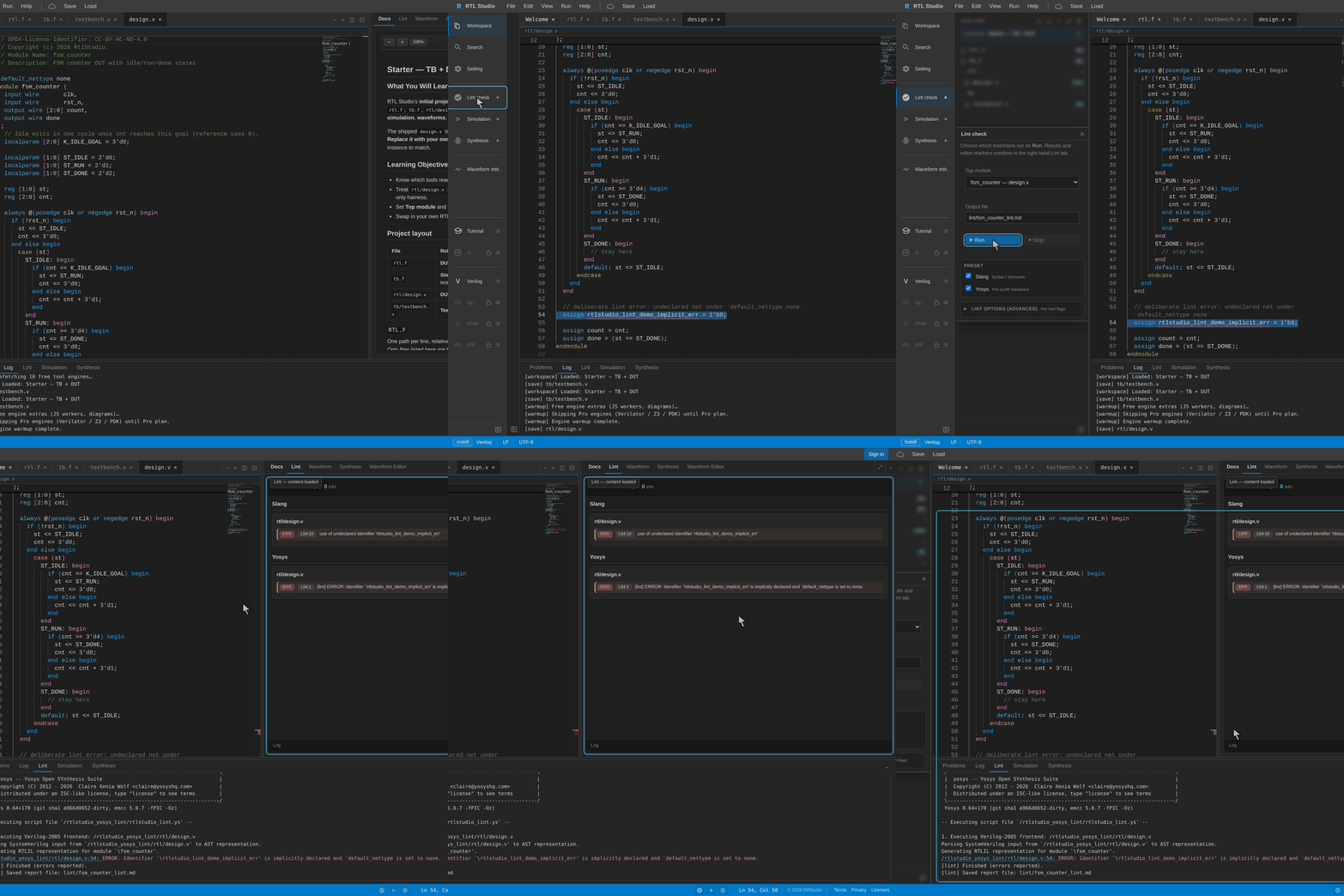
Edit & lint
Monaco editor with Slang-backed checks for Verilog and SystemVerilog.
-
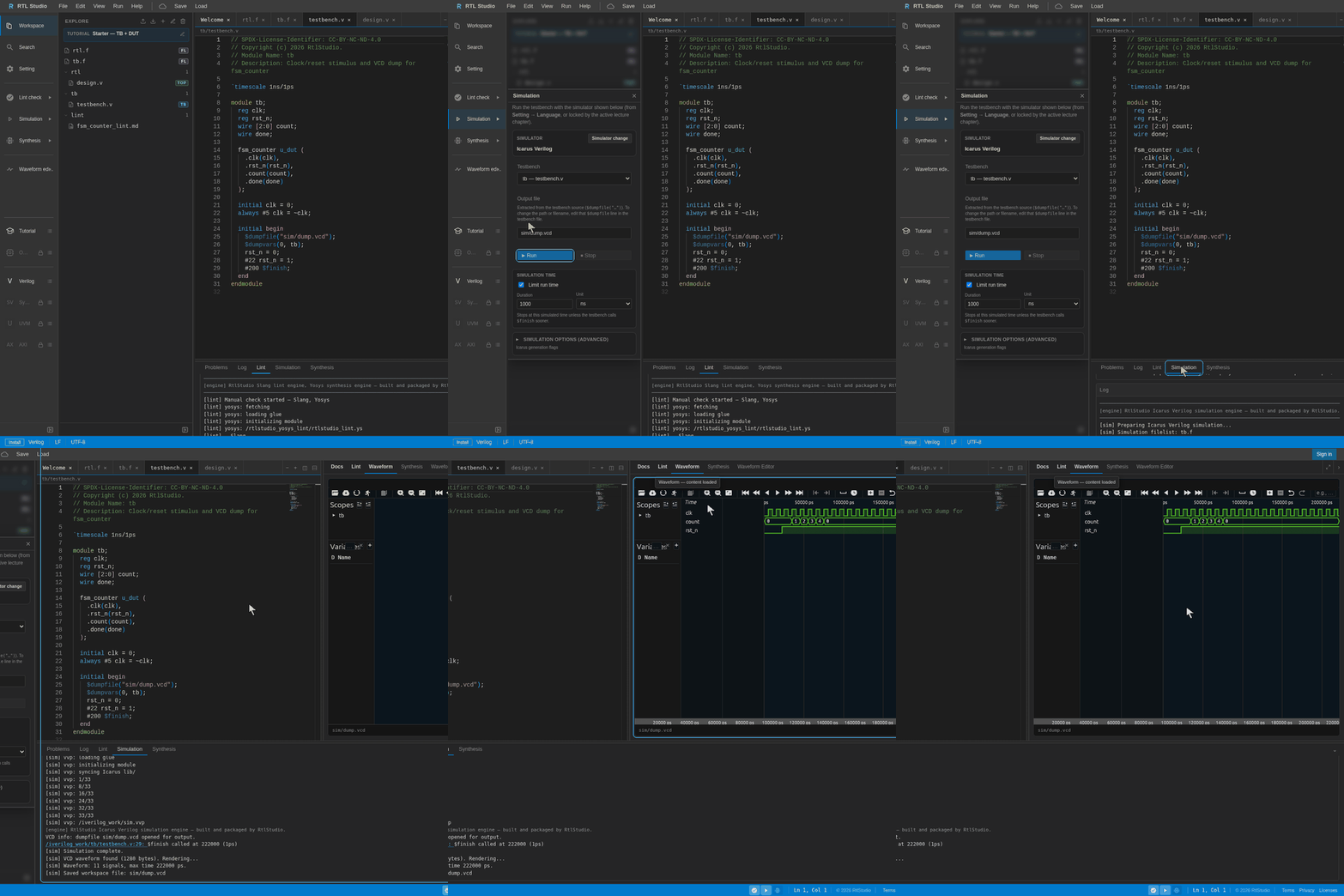
Simulate
In-browser Verilator pipeline with timing support and VCD export.
-
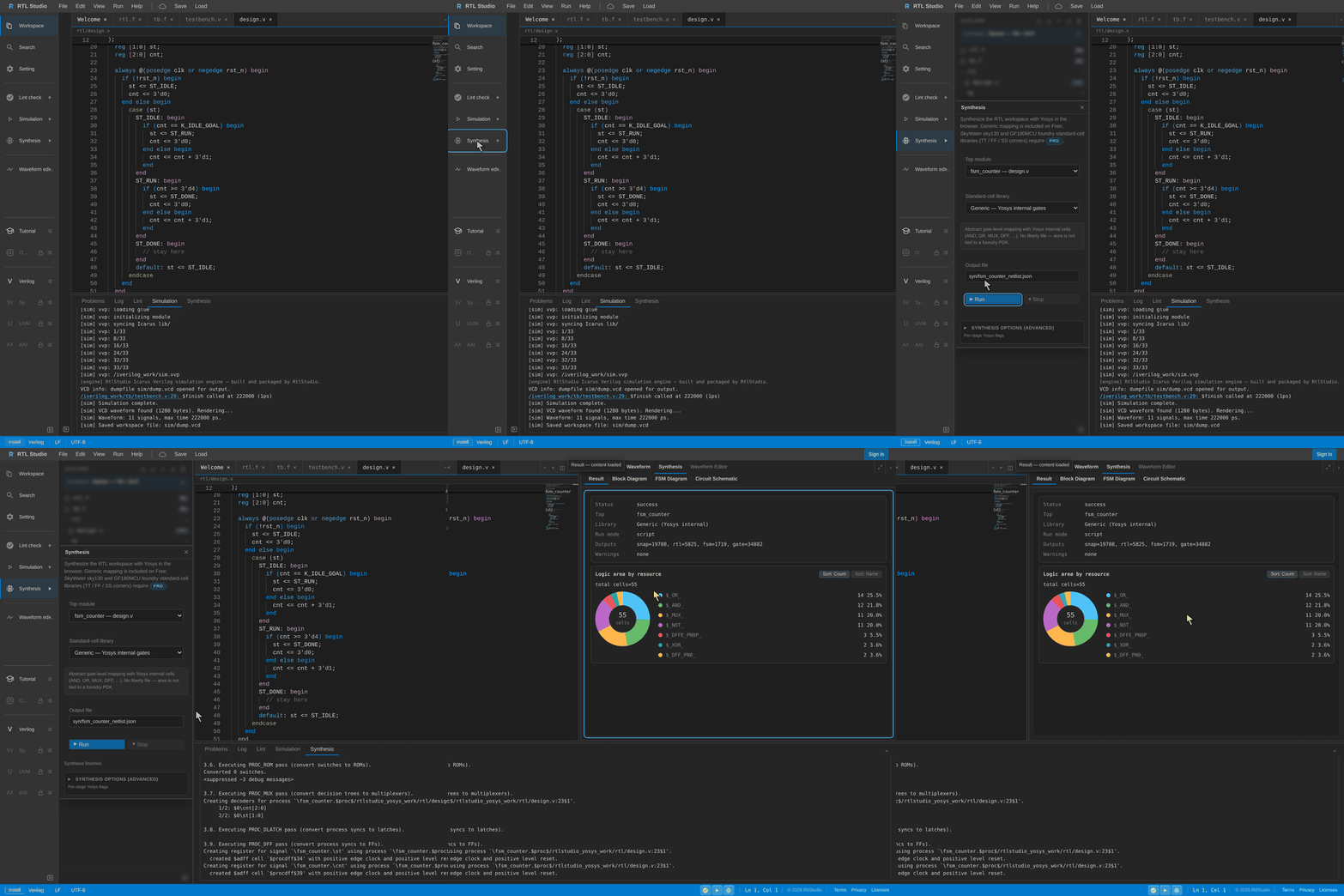
Synthesize
Yosys in the tab — generic mapping on Free, sky130 on Pro.
-
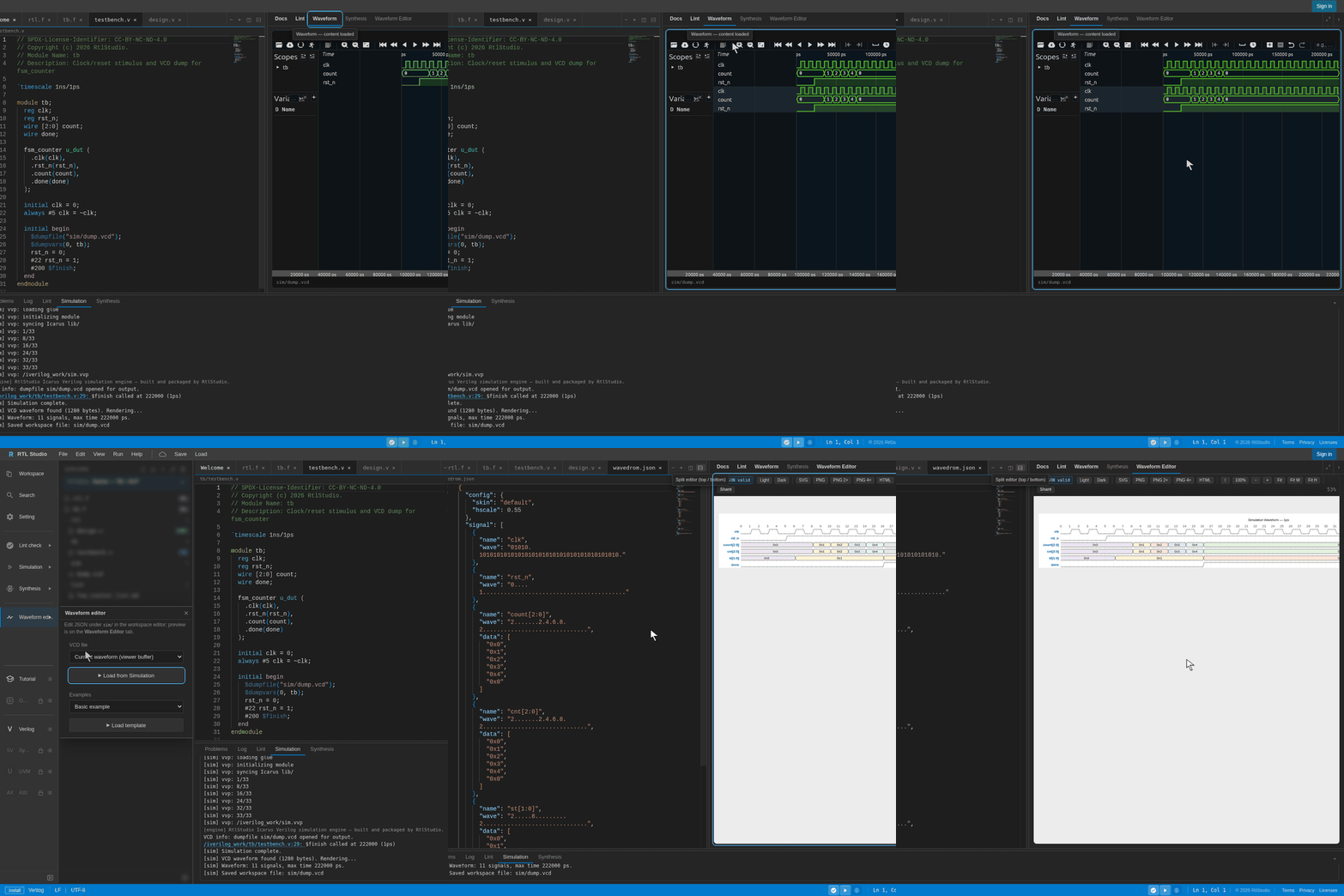
Waveforms
Inspect VCD dumps; embed WaveDrom and Mermaid in project READMEs.


Local-first by design
Simulation and synthesis run as WebAssembly in your tab. Design source is not uploaded during standard edit, lint, simulate, or synthesize — better for NDAs, employers, and early IP exploration.
Cloud workspace slots and share links are optional and only run when you choose them. See the Privacy Policy.
“A SystemVerilog simulator in the browser and a Verilog IDE online — without standing up a desktop EDA stack.”
Free vs Pro
One paid plan — Pro. New tools and panels land in Pro as we ship; Free stays on today’s core IDE.
| Feature | Free | Pro |
|---|---|---|
| Basic IDE (lint · sim · synth) | ✓ | ✓ |
| Verilog lecture · tutorials | ✓ | ✓ |
| Cloud workspace slots | 3 | 10 |
| SV sim · sky130 · Open IP | — | ✓ |
| Advanced lecture (SV · UVM · AXI · SoC · RISC-V) | — | ✓ |
| Future extensions (AI · PnR) | — | ✓ |
Example projects
Starter workspaces ship with the app. Open a card to load that example in the IDE with its README in the Tutorial pane — or pick one later from Welcome / Tutorial.
- Quick start — FSM counter Edit → lint → sim → synth → VCD in about a minute.
- Hello simulation Minimal smoke test for the in-browser sim path.
- UART transmitter Serial TX RTL with waveform scoping practice.
- FSM packet transmitter State-machine packet TX for lint and synth diagrams.
- Async FIFO (CDC) Clock-domain crossing FIFO pattern.
- AXI-Lite register block Minimal AXI-Lite slave for bus-protocol practice.
- Parameterized n-bit counter Filelists, testbenches, and synth netlists.
- WaveDrom from simulation Connect sim results to timing diagrams in README.
More designs live under
examples/manifest.json
and open inside the IDE. Also try
Starter — TB + DUT.
Learn & Guides
Curriculum overview and crawlable how-tos for the in-browser toolchain — separate from the heavy IDE shell for faster discovery.
- Curriculum Learn Verilog free track plus Pro SystemVerilog, UVM, AXI, SoC, and RISC-V lecture outlines.
- Catalog Open IP 305+ Pro reference RTL blocks — public titles and descriptions.
- Guide Lint check Slang-backed Verilog / SystemVerilog lint, Problems panel, and diagnostics FAQ.
-
Guide
Verilog simulation
Verilator / SV sim,
$dumpfile/$dumpvars, empty-wave FAQ. - Guide Yosys synthesis Yosys WASM on Free, SkyWater sky130 on Pro, tapeout limits.
- Guide Waveform editing VCD in Surfer, WaveDrom / WaveJSON timing diagrams, empty-wave FAQ.
- About RtlStudio & SGDH Product story and Design Study (SGDH) affiliation.
RTL Studio is the product IDE from Design Study (SGDH). Prefer sharing /home/ or /guides/ over the raw IDE shell for discovery links.
FAQ
- Is RTL Studio a free online Verilog IDE?
- Yes. Core edit, Slang lint, Verilator simulation, and Yosys synthesis run on Free in the browser. Pro adds lectures, Open IP, and foundry libraries such as sky130.
- Do I need to install Verilator or Yosys locally?
- No. The in-browser toolchain runs as WebAssembly in your tab. Open the IDE and use Simulate / Synthesize without a desktop EDA install.
- How does browser simulation work without installing tools?
- Engines load as WebAssembly in your tab. Edit RTL locally, then run Simulate. See the Verilog simulation guide.
- Why is my waveform empty after simulation?
-
Add
$dumpfile/$dumpvars, confirm the VCD path, then open the generated file in the Waveform editor. Details: simulation guide. - Does my RTL leave the browser?
- Standard edit / lint / simulate / synthesize stays local-first. Source is uploaded only if you explicitly use cloud save or share. See the Privacy Policy.
- Can I view VCD waveforms?
-
Yes. Testbenches that dump VCD (for example via
$dumpfile/$dumpvars) can be opened in the Waveform editor after simulation. - Is browser sim/synth enough for chip tapeout?
- No. Use RTL Studio for learning, labs, and early RTL exploration. Tapeout needs vendor toolchains and sign-off. See Yosys synthesis guide.
- What is Free vs Pro?
- Free: core edit, Slang, Verilator sim, Yosys generic synth. Pro: lectures, Open IP, and libraries such as SkyWater sky130 (shown as Pro-only in the IDE).
- Where should I start?
- Start with the Quick start example in the IDE, or browse Guides.